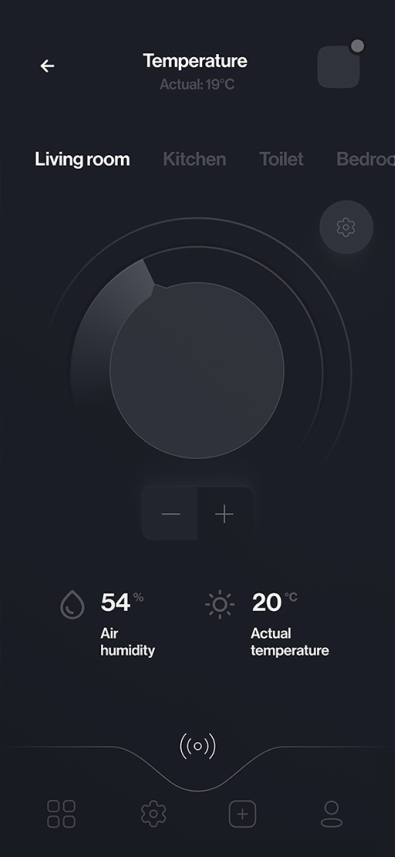
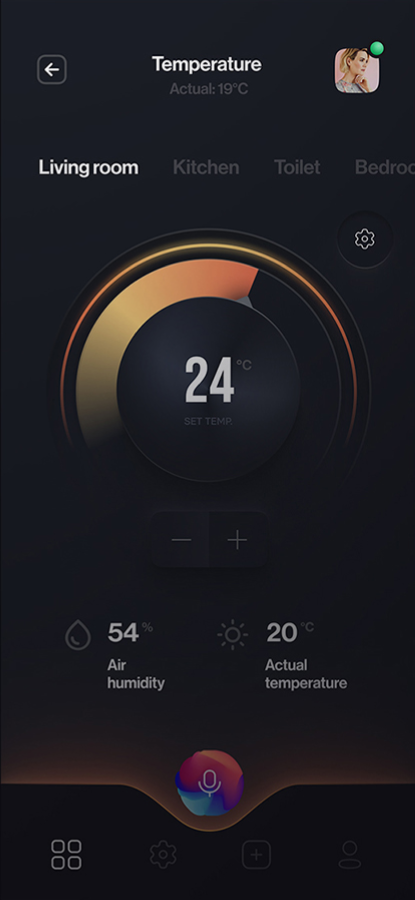
Temperature states
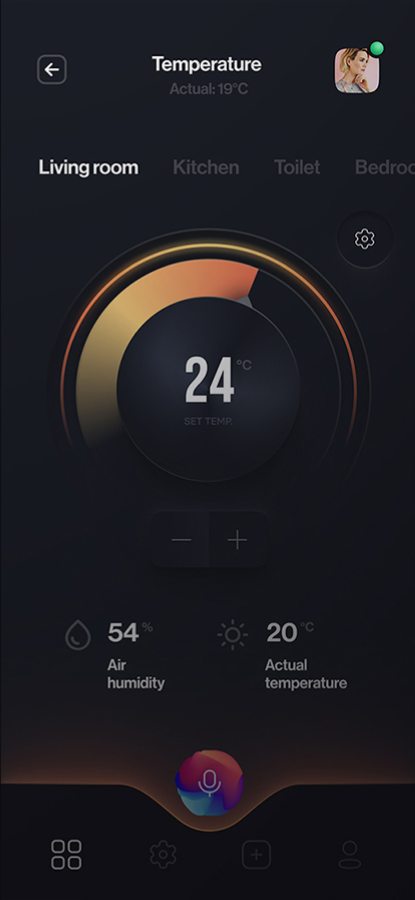
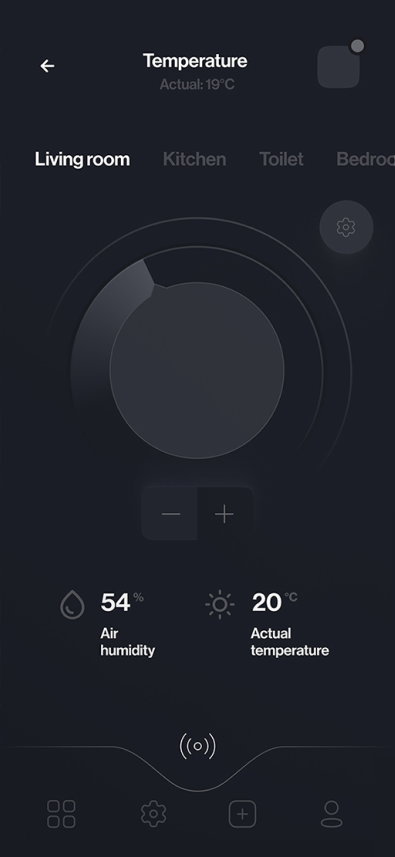
I gave the temperature dial a clearly different inactive and active state, so it is obvious when a setting is in effect.
Smart-home controls | Shipped product
I designed HomeNest's device controls: a temperature dial with distinct inactive and active states, an air-purifier view and weekly summaries.
PROJECT AT A GLANCE
KEY DESIGN DECISIONS
Each device screen separates what you control from what the device reports back.
I gave the temperature dial a clearly different inactive and active state, so it is obvious when a setting is in effect.
The active dial sits alongside actual-temperature and humidity readings, keeping the target separate from current conditions.
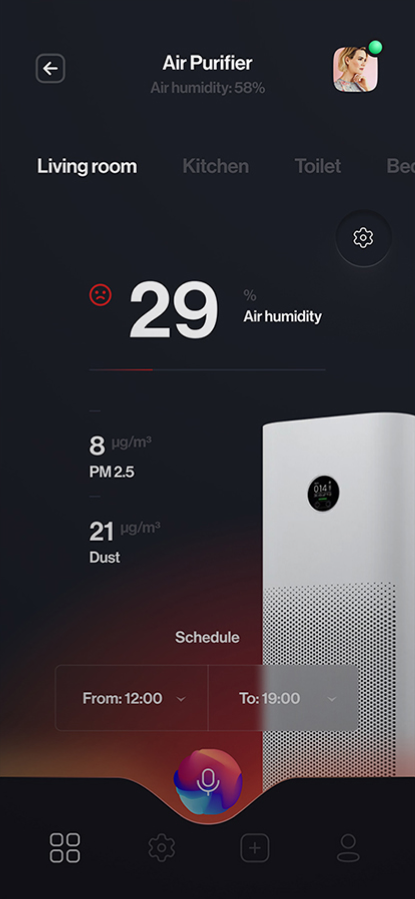
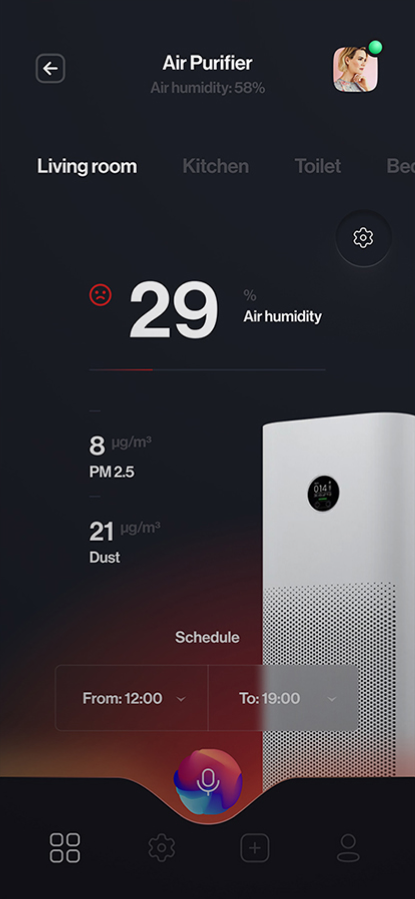
I brought the purifier schedule into the same view as its air-quality readings, so timing and conditions are managed in one place.
Each of these decisions shipped in HomeNest.
How do you keep a control's state distinct from the readings and schedule around it?
The product covers these interface areas:
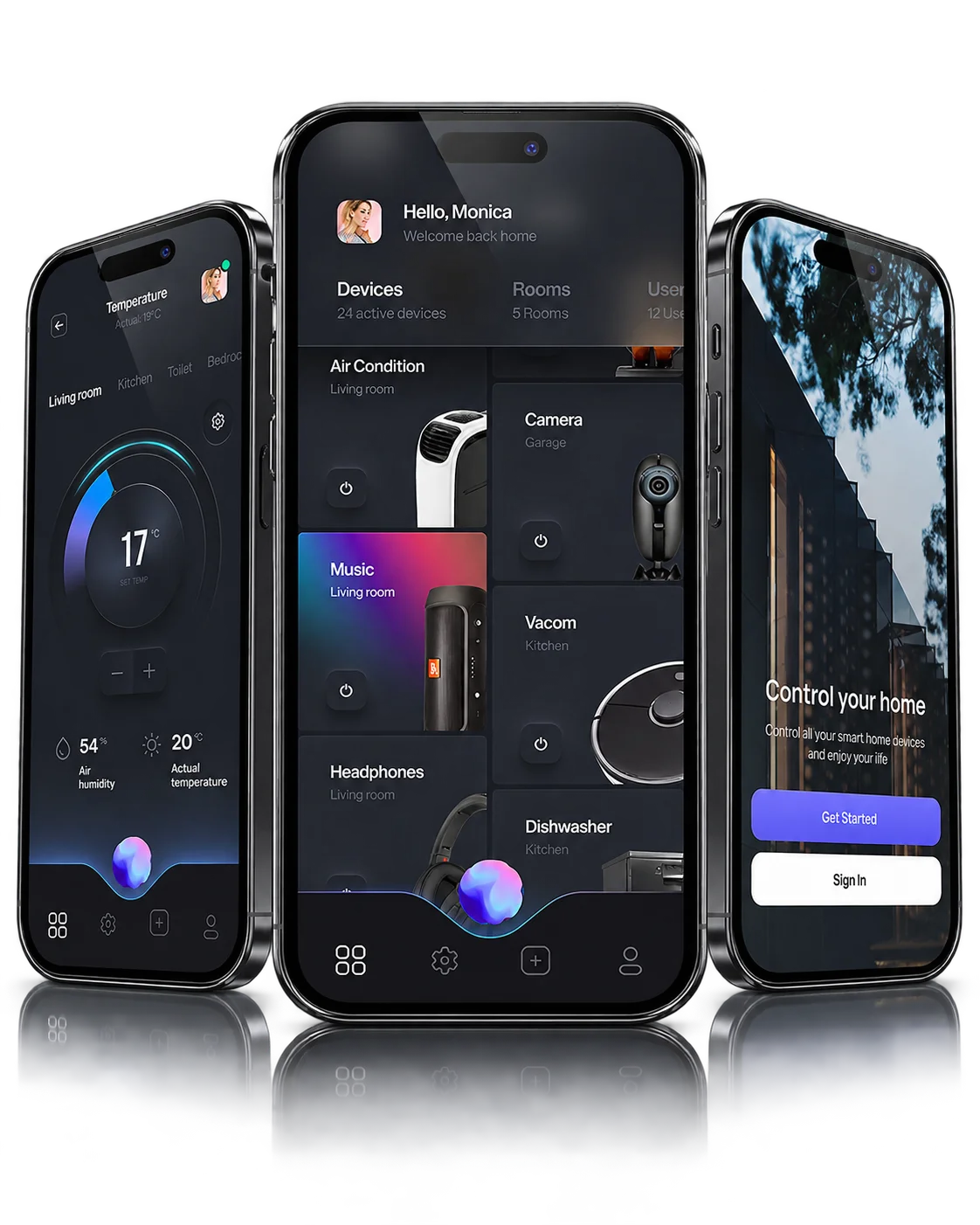
How the shipped screens connect.
Key structures in the shipped product:
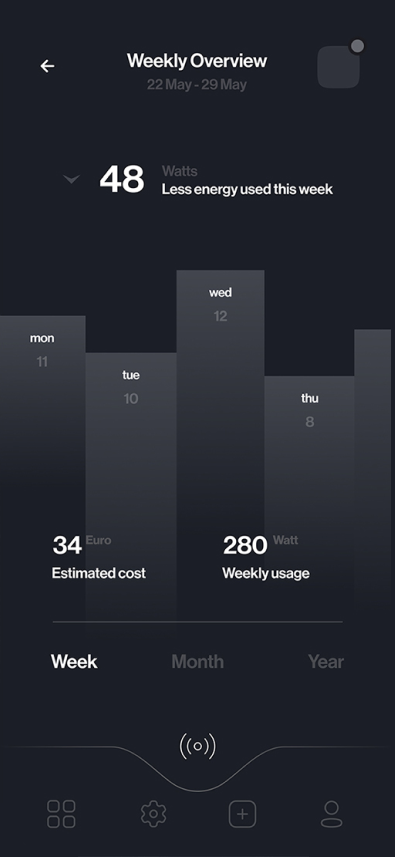
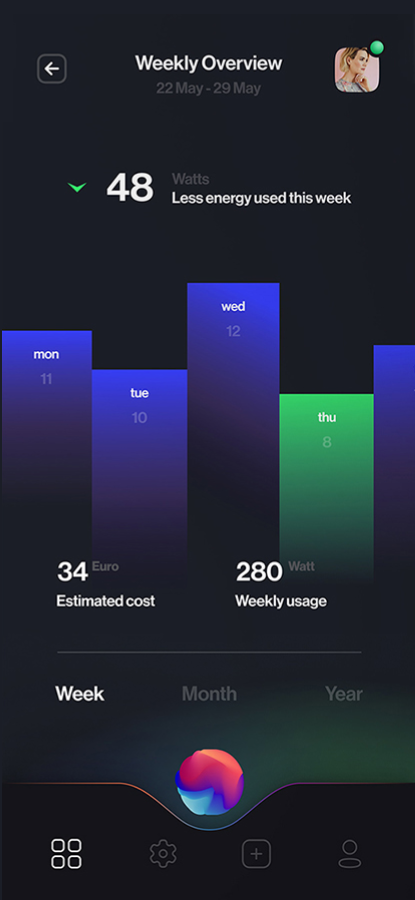
Weekly overview of device activity.
01 / 05FROM THE PROJECT FILES
Screens from the shipped product. Values shown are sample data.