
Feed and category views
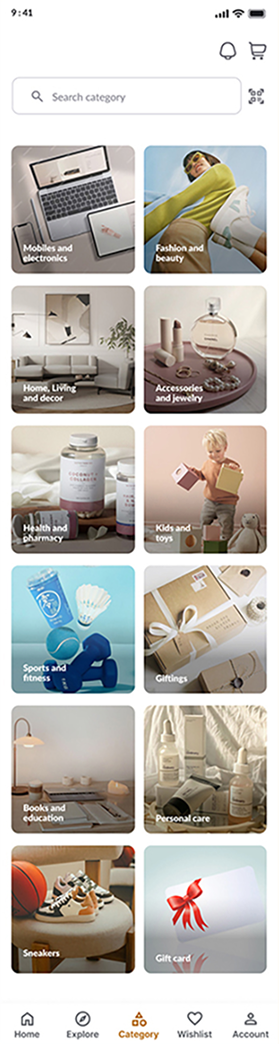
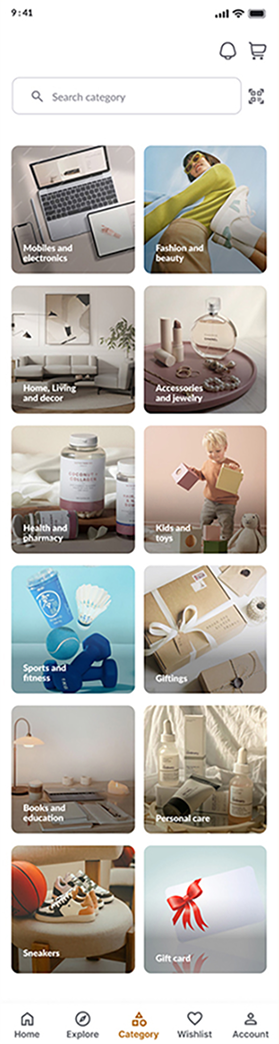
Browsing offers two routes: a mixed home feed for discovery and a dedicated category grid for shoppers who know what they want.
Commerce interface | Shipped product
A mobile commerce app that brings home content, offers, category browsing, a cart and notifications into one consistent shopping experience.

PROJECT AT A GLANCE
KEY DESIGN DECISIONS
Three decisions shape how shoppers discover products and manage their cart.
Browsing offers two routes: a mixed home feed for discovery and a dedicated category grid for shoppers who know what they want.
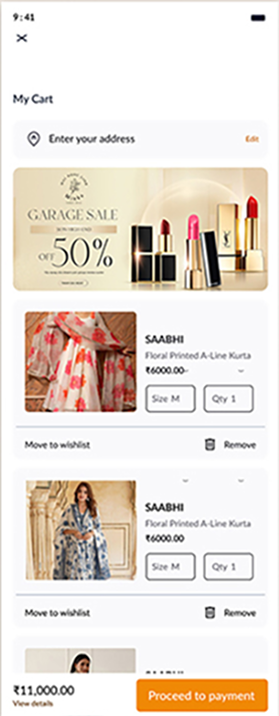
Cart rows expose selected variants and quantity controls before the payment action.
Promotions and product rows are separate content groups, so offers stay distinct from the regular catalogue.
Each of these decisions shipped in GoCart.
How do category entry points and cart controls support different shopping tasks?
The product covers these interface areas:
How the shipped screens connect.
Key structures in the shipped product:
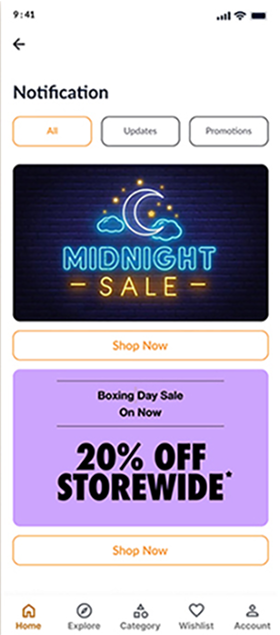


Notifications collect app updates in a single, scannable view. Values shown are sample data.
01 / 05FROM THE PROJECT FILES
Screens from the shipped product. Values shown are sample data.

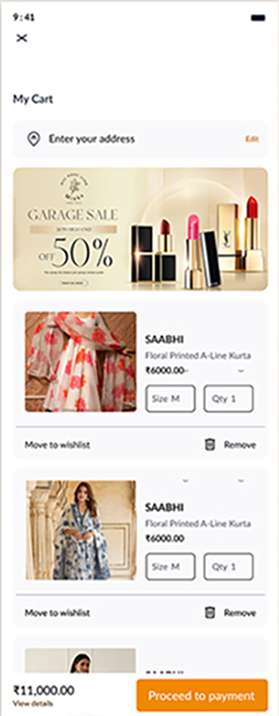
Looking back, I’d make a quantity change update the line price and cart total visibly in place, so shoppers see the result immediately.