Skip to content

Appointment interface | Shipped product

DrOnline: Specialist Care & Consultation

I designed the path from account entry to a specialist appointment: a provider list, a provider profile, date selection and an appointment form.
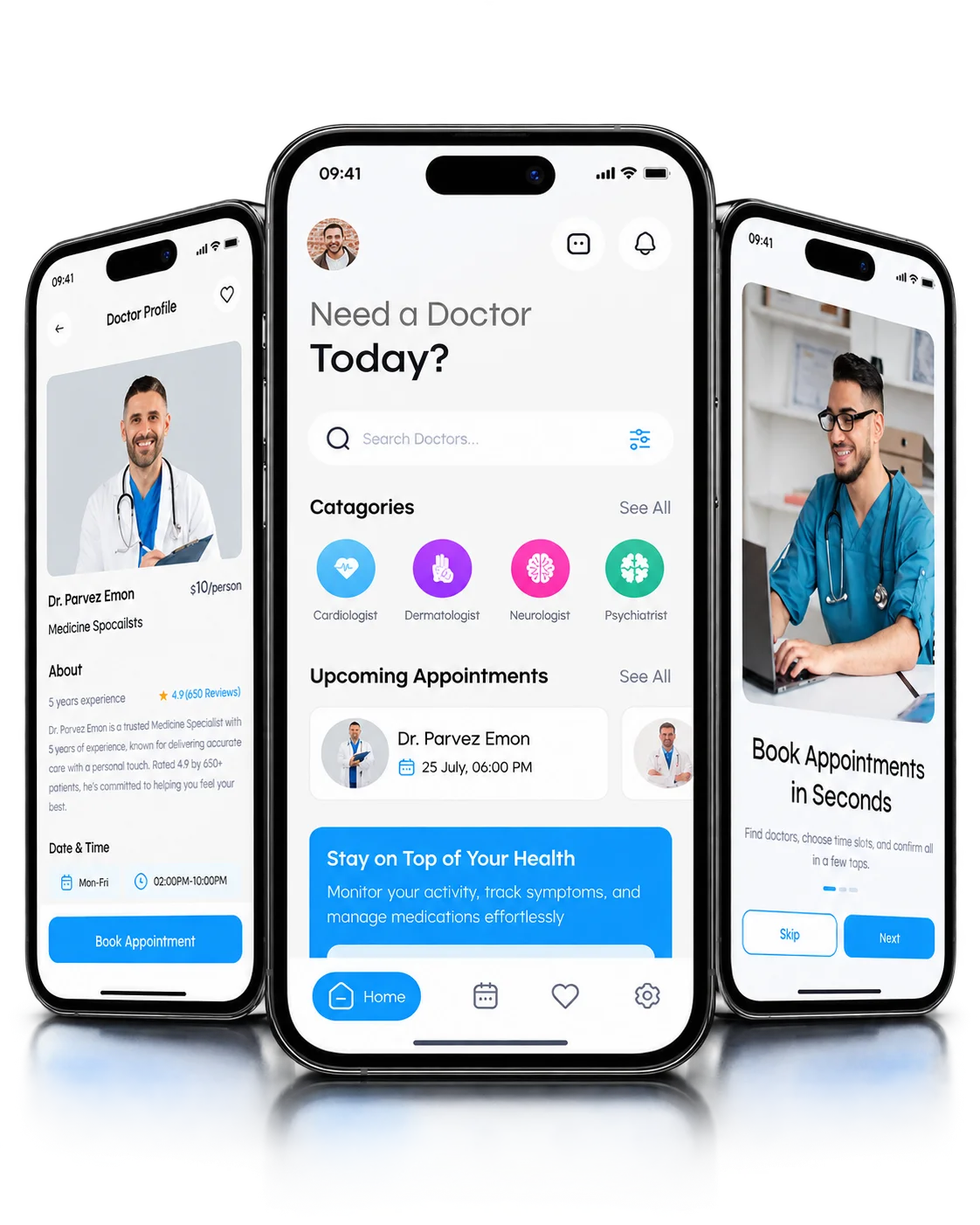
Appointment interfaceAccount entry · Provider list · Provider profile
DrOnline healthcare and specialist booking app

PROJECT AT A GLANCE

The essentials.

Design scope
Appointment interface
Available views
Appointment date · Appointment form
Screen focus
Shipped interface
Design intent
A clear route from provider to appointment
Skip to project details

HOW THE PRODUCT IS STRUCTURED

Account access and appointment views.

I structured the product around three jobs: getting into an account, finding the right provider and requesting an appointment.

01

Mockup groups

Account access, provider discovery and the appointment request each have their own set of screens, so every stage has a single focus.

02

Profile and form

Choosing a provider and filling in the appointment form are separate steps. The profile carries the decision; the form carries the request.

03

Date selection

The calendar comes before the form, so a date is settled before the patient enters appointment details.

Each of these decisions shipped in DrOnline.

Design
Question

What does a patient need to see when moving from a provider profile to an appointment request?

Key
Decisions

  • Account entry stays separate from provider selection.
  • The provider list leads directly into a profile view for comparison and choice.
  • Date selection and the appointment form together make up the request step.

Available
Design Scope

The product covers these interface areas:

  • Account entry
  • Provider list
  • Provider profile
  • Appointment date

Screen
Coverage

How the shipped screens connect.

Account entryProvider listProvider profileAppointment dateAppointment form

FROM THE PROJECT FILES

Account, discovery and appointment views

The appointment flow and three groups of screens from the product. Board backgrounds are masked for presentation; the interface itself is unchanged.
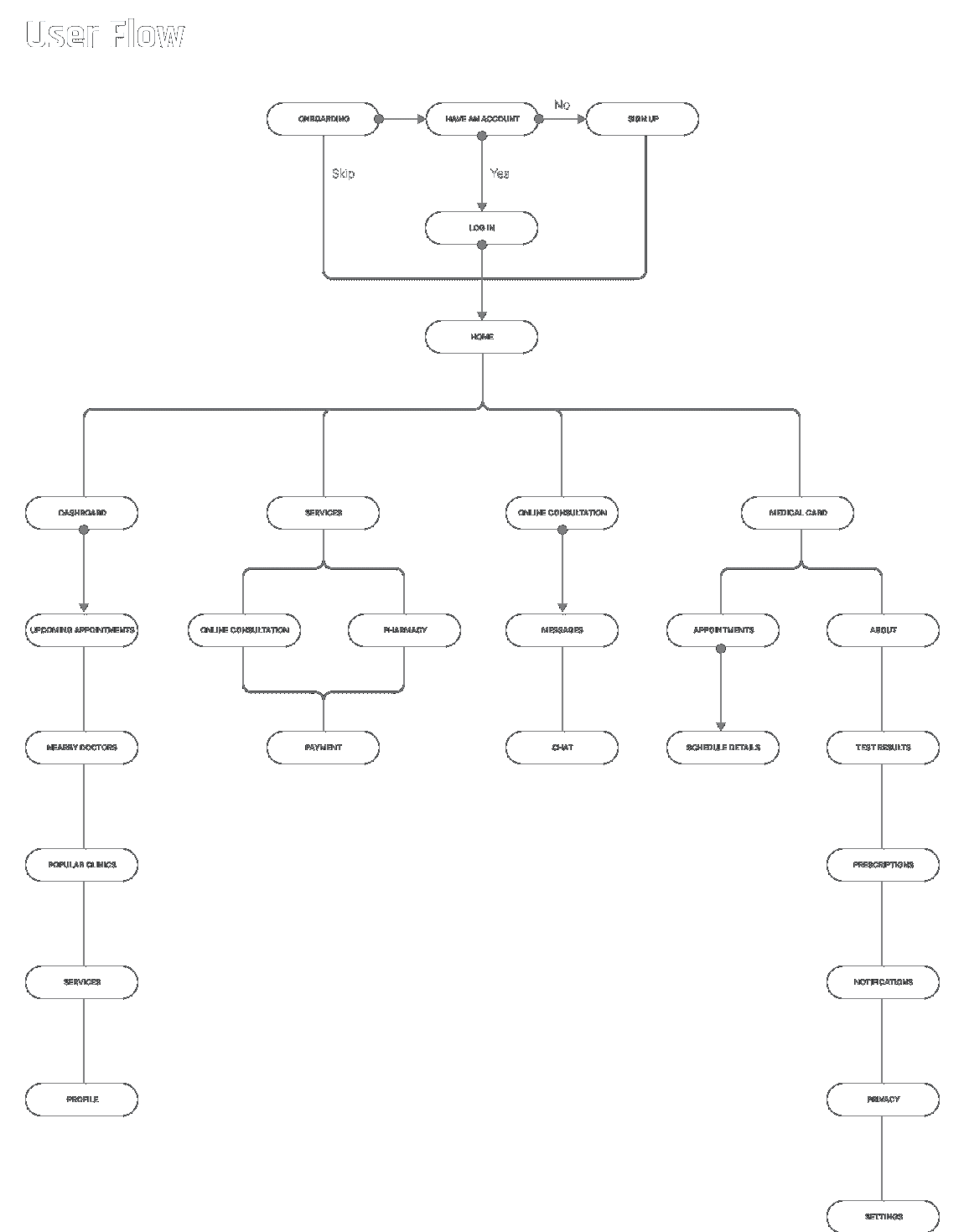
Appointment-flow diagram

Appointment-flow diagram — original mockups with presentation background masked
The appointment flow I mapped, from account entry through to the appointment form. View full-size artifact (opens in a new tab)

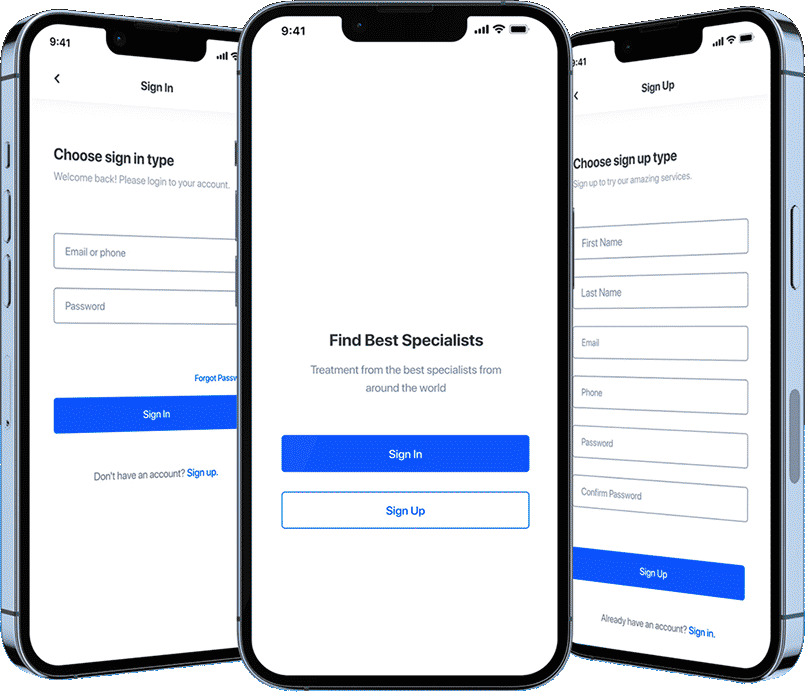
Account entry

Account entry — original mockups with presentation background masked
Sign-in, welcome and sign-up screens, shown together as the account entry stage. View full-size artifact (opens in a new tab)

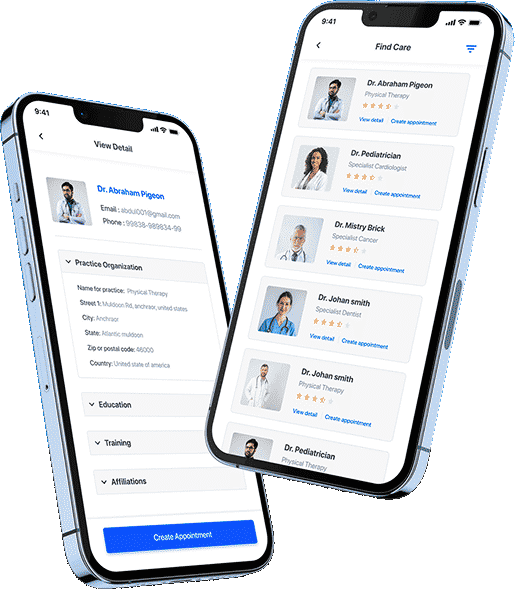
Provider discovery and profile

Provider discovery and profile — original mockups with presentation background masked
The provider list and provider profile. Names and credentials shown are sample data. View full-size artifact (opens in a new tab)

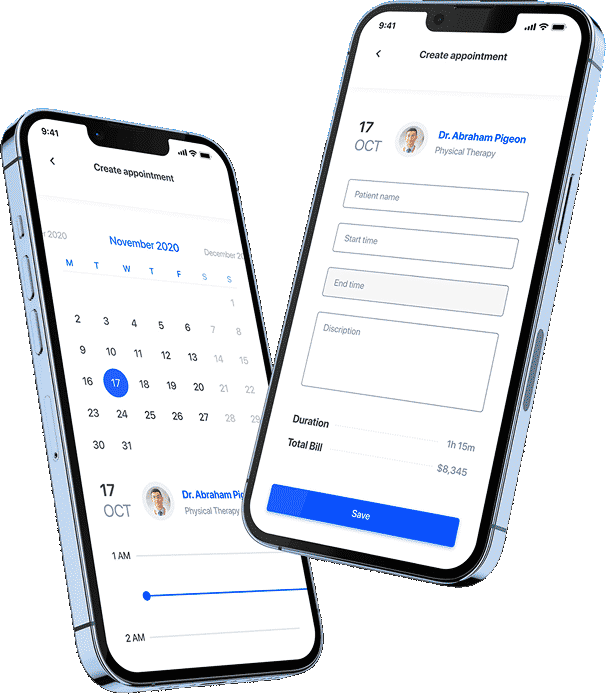
Date choice and appointment request

Date choice and appointment request — original mockups with presentation background masked
Date selection and the appointment form that completes the request. View full-size artifact (opens in a new tab)

What I’d Change
Next

Looking back, I would keep the chosen provider, date and time visible on the appointment form itself, so the patient can confirm the whole request in one place before sending it.