
Capture and upload
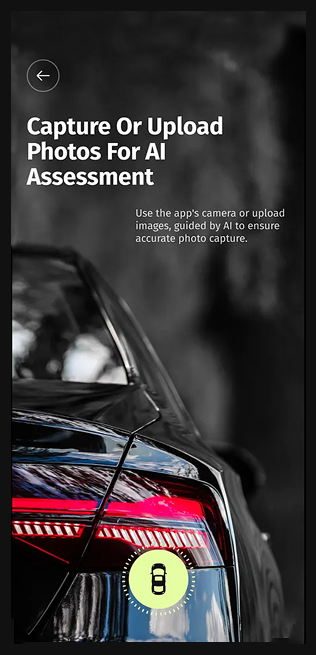
I kept taking a new photo and choosing an existing one as two distinct choices from the start.
Vehicle inspection | Shipped product
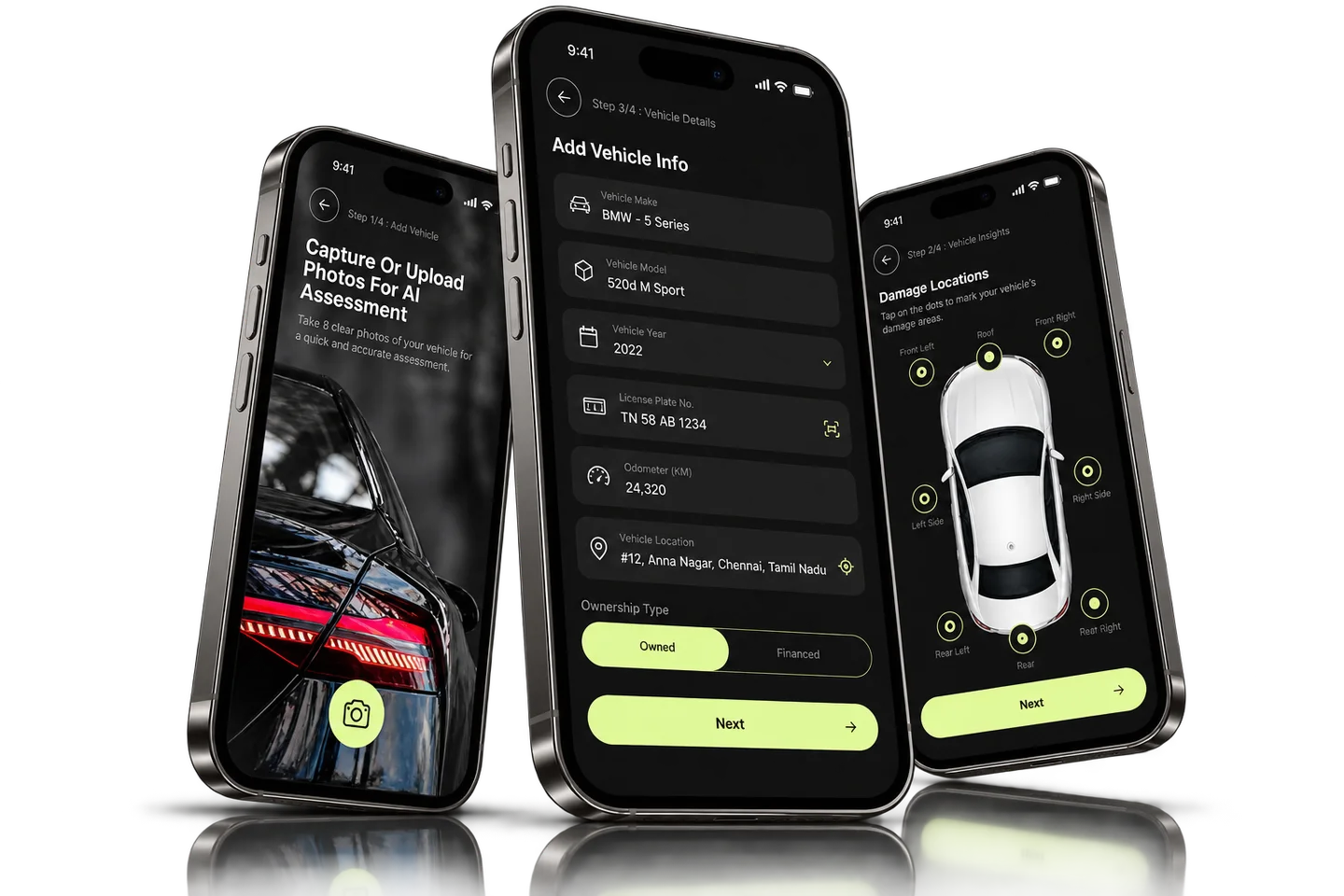
I designed the CoverRide inspection flow around four steps: capturing or uploading photos, marking damage locations, entering claim details and reviewing the captured photos.
PROJECT AT A GLANCE
KEY DESIGN DECISIONS
Three decisions shape how a damage report is put together on a phone.
I kept taking a new photo and choosing an existing one as two distinct choices from the start.
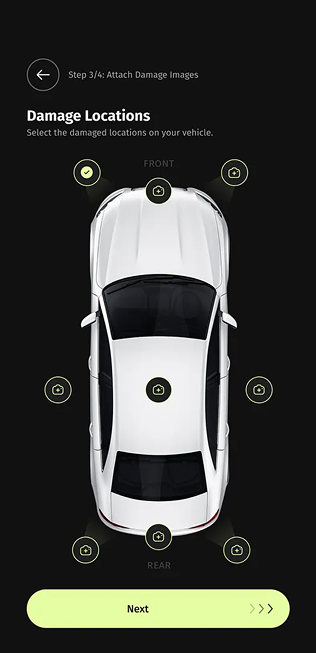
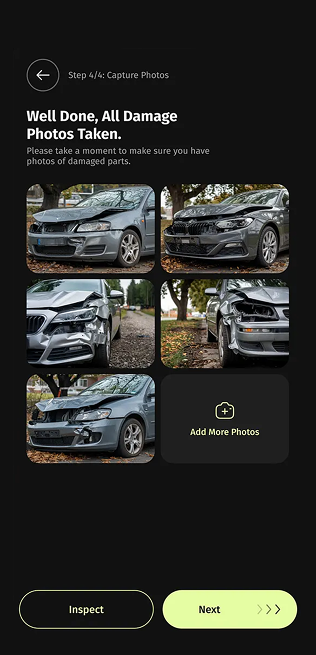
Marking where the damage is and reviewing the photos happen on separate screens, so each step has one job.
Adding another image is an explicit action on the photo-review screen, not something hidden behind the capture step.
Each of these decisions shipped in CoverRide.
How are vehicle location and photographic evidence connected before review?
The product covers these interface areas:
How the shipped screens connect.
Key structures in the shipped product:
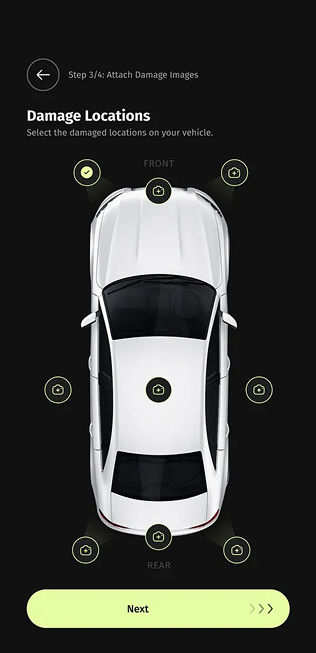
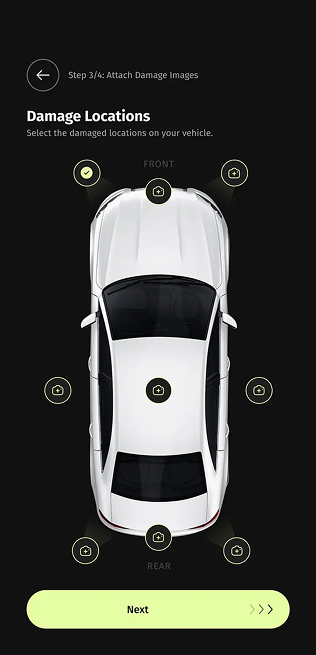
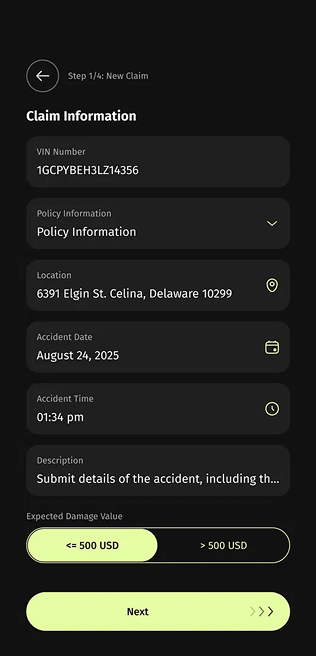
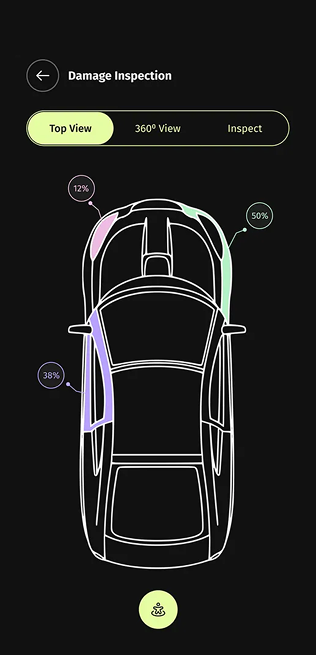
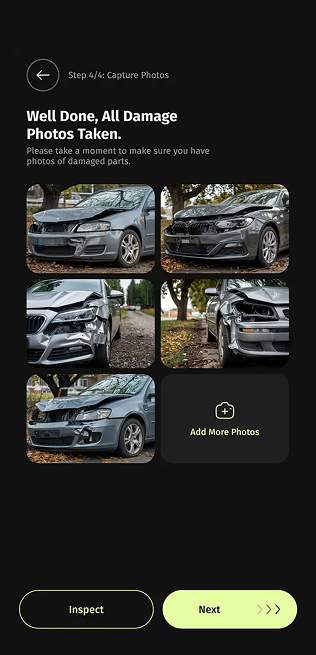
A vehicle diagram with selectable damage locations.
01 / 06FROM THE PROJECT FILES
Screens from the shipped product. Values shown are sample data.
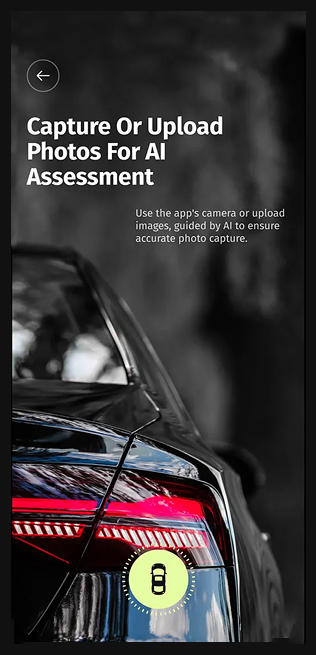
Looking back, I'd make the link between a marked damage location and its photos explicit in the next view, so each marked area traces straight to its evidence.